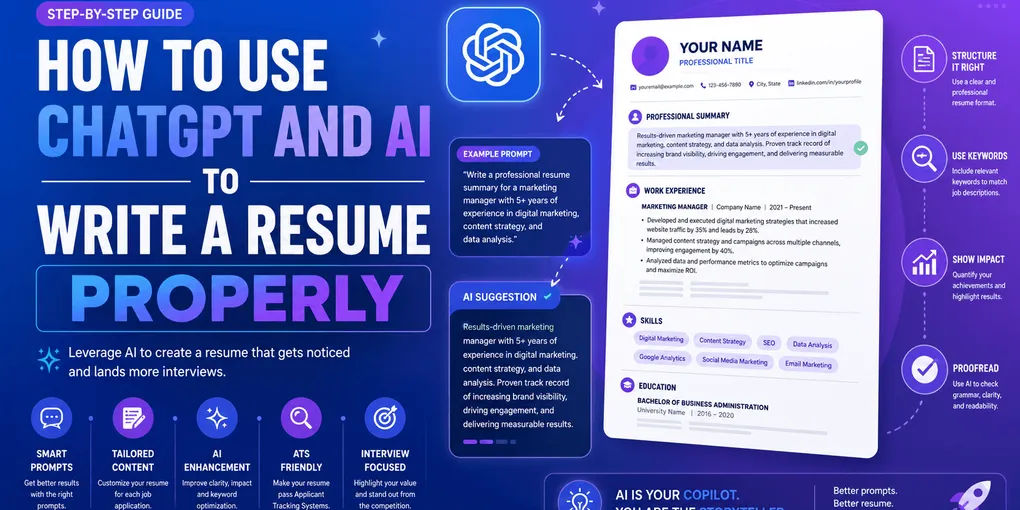
How to Use ChatGPT and AI to Write a Resume Properly
A recruiter opens your resume and reads: “Results-driven professional with a proven track record of leveraging cross-functional synergies to drive impactful outcomes.” They close it in two seconds. Not because you are unqualified — because they have read that exact sentence on 50 other resumes this week, and it tells them nothing about you.
That sentence is what happens when you paste “write me a resume” into ChatGPT and ship whatever comes back. AI is genuinely useful for resume writing — it can save you hours of staring at a blank page — but only if you drive it. Used lazily, it produces the most generic document in the pile. Used well, it turns your real, messy experience into sharp, specific bullets faster than you could alone.
This guide shows you exactly how to use ChatGPT and other AI tools to write a resume that reads as yours — the workflow, the prompts that actually work, and how to scrub out the “AI smell” that gets resumes rejected.
TL;DR — Using AI for Your Resume Without Sounding Like a Robot
- AI is a drafting assistant, not the author. Feed it your real facts; never let it invent achievements, titles, or numbers.
- Lazy prompts get lazy output. “Write me a resume” produces filler. Give AI your experience, the job description, and a rule against inventing anything.
- Edit every line. The generic “AI smell” — buzzwords with no metrics — is what recruiters reject, not the tool itself.
- Use AI for what it’s good at: rephrasing bullets, matching job-description keywords, and generating variations. Not for knowing your story.
- Verify against ATS and truth. Every skill and keyword AI adds must be one you can honestly claim and back up in an interview.
What ChatGPT Is Good and Bad At for Resumes
Before you open ChatGPT, know what it can and can’t do. Treating it as an all-knowing resume writer is the mistake that produces generic output. Treating it as a fast, tireless editor that knows nothing about you is the mindset that produces good ones.
| AI is genuinely good at | AI is bad at (you must own this) |
|---|---|
| Rephrasing a clumsy bullet into a tighter one | Knowing your real metrics, results, and numbers |
| Generating 5 variations of a summary to choose from | Judging which variation actually sounds like you |
| Matching your resume language to a job description | Deciding which keywords you can honestly claim |
| Fixing grammar, tense, and inconsistent formatting | Understanding the context behind a job change or gap |
| Suggesting stronger action verbs | Inventing achievements without lying (it will make them up) |
| Turning a paragraph of notes into clean bullet points | Prioritizing what matters most for a specific role |
The pattern is clear: AI is excellent at form and useless at substance. It can make your true story sound better. It cannot know your true story — and when it tries to fill that gap, it fabricates. That single fabrication (a metric you never hit, a tool you’ve never touched) is what blows up in the interview.
Action step: Before prompting, write down 5 real facts about a role — an actual number, a tool you used, a problem you solved. Those are the raw materials only you can supply. AI shapes them; it can’t source them.
The Right Workflow — AI as Editor, Not Ghostwriter
Most people use AI backwards: they ask it to create a resume from nothing, then wonder why it’s generic. The fix is to invert the order. You supply the substance; AI refines the form.
Here is the workflow that actually works:
- Draft the raw facts yourself first. For each role, jot down what you did and any number attached to it — even ugly, unpolished notes. “Handled support tickets, cut response time, trained 3 people.”
- Give AI the job description. Paste the target posting so AI knows which of your facts matter most and what language to mirror.
- Ask it to rewrite your notes into concrete, metric-driven bullets — with an explicit rule: do not invent anything not in my notes.
- Edit every line it returns. Cut buzzwords, restore your voice, verify each number is real.
- Run a keyword and ATS pass. Check the result against the job description and standard ATS rules.
The difference this makes is enormous. Compare the two approaches on the same person:
❌ Ghostwriter approach (AI invents from nothing):
Prompt: “Write a resume bullet for a customer support job.” Output: “Delivered exceptional customer service and consistently exceeded expectations while maintaining a positive attitude in a fast-paced environment.”
Empty. No number, no tool, no outcome — because you gave it nothing, so it filled the void with cliché.
✅ Editor approach (AI refines your facts):
Prompt: “Rewrite this into a concrete resume bullet, don’t add anything I didn’t say: ‘handled support tickets, brought average first-reply time down from about 8 hours to 3, trained 3 new hires on the helpdesk.’” Output: “Cut average first-reply time from 8 hours to 3 across a 200-ticket weekly queue, and onboarded 3 new hires to the Zendesk workflow.”
Specific, true, and yours. Same tool, opposite result — because the second prompt carried real substance.
Action step: Never ask AI to write a bullet “for a role.” Always ask it to rewrite your note about your role, with a no-inventing rule attached.
Prompts That Actually Work
The quality of AI output is capped by the quality of your prompt. A good resume prompt does three jobs: it supplies your real experience, it supplies the target, and it sets guardrails. Miss any one and you get filler.
The lazy prompt vs. the working prompt
❌ Lazy prompt (produces generic filler):
“Write me a resume for a marketing manager.”
AI has no facts, so it invents a plausible-sounding average marketing manager. The result fits everyone and no one.
✅ Working prompt (produces a usable draft):
“Here is my real experience as bullet notes: [paste your rough notes with numbers]. Here is the job I’m applying to: [paste the job description]. Rewrite my notes into 4–5 concrete resume bullets for this role. Rules: use the exact tools and numbers I gave you, mirror keywords from the job description only where they honestly apply, use strong action verbs, no buzzwords like ‘results-driven’ or ‘synergy,’ and do not invent any skill, metric, or responsibility I didn’t mention.”
The second prompt does the heavy lifting because it gives AI something to work with and fences off its worst habit — making things up.
Three prompt templates worth saving
1. The bullet rewriter:
“Rewrite this experience into 3 sharp resume bullets. Keep every fact exactly as I stated it. Lead each bullet with a strong verb and put the number first where there is one. Notes: [your notes].”
2. The summary generator:
“Write 3 versions of a 2-line professional summary for this role: [job title]. Base them only on these facts: [3–4 real highlights]. Vary the tone — one plain, one confident, one specialist. No clichés.”
3. The keyword matcher:
“Compare my resume against this job description and list the important keywords from the posting that are missing from my resume. For each, tell me whether it’s a hard skill, tool, or methodology. Don’t rewrite my resume — just give me the gap list. Resume: [paste]. Job: [paste].”
That third prompt pairs perfectly with a manual read — see how to find and place resume keywords for where each matched term should actually go.
Action step: Save these three prompts somewhere reusable. The first time you write them well, you never start from a blank prompt again.
Fixing the “AI Smell” — How to Edit ChatGPT Output
Even a good prompt returns text that needs editing. Unedited AI writing has a recognizable texture — recruiters can’t prove a machine wrote it, but they feel it instantly, and “feels generic” is enough to reject. Your editing pass is where a draft becomes a resume.
The AI smell has three ingredients. Kill all three.
1. Buzzwords with no evidence. AI loves “results-driven,” “dynamic,” “passionate,” “proven track record,” “leveraged,” “synergy.” These say nothing.
❌ AI output:
“Dynamic and results-driven professional with a proven track record of leveraging data to drive business impact.”
✅ Edited:
“Analyst who cut monthly reporting time 60% by rebuilding the sales dashboard in Looker.”
2. Roundness with no numbers. AI hedges with “helped to,” “contributed to,” “assisted in improving.” Replace vagueness with a metric or a specific action.
❌ AI output:
“Contributed to improving team efficiency and helped streamline various processes.”
✅ Edited:
“Automated the weekly invoice reconciliation, saving the finance team ~6 hours a week.”
3. Uniform rhythm. AI writes every bullet the same length and shape, which reads like a template. Vary it. Let one bullet be short and punchy, another carry a result clause. Human writing has texture.
The test for any line: could this sentence appear on a stranger’s resume unchanged? If yes, it’s still AI filler. If it could only be true of you, it’s done.
Action step: Do a dedicated “buzzword hunt” pass. Search your draft for results-driven, passionate, proven, dynamic, leverage, synergy, spearheaded and rewrite every hit with a fact.
Using AI to Beat the ATS (Without Faking It)
Most resumes are screened by software before a human sees them, and AI is genuinely helpful here — this is where the tool earns its place. The catch: AI will happily stuff your resume with keywords you can’t back up, which passes the parser and fails the interview.
Used honestly, AI shortcuts the tedious part of ATS optimization: finding the gap between your resume and the posting.
The safe AI keyword workflow:
- Ask AI to extract the required hard skills and tools from the job description (the keyword-matcher prompt above).
- Ask it to flag which are missing from your current resume.
- You decide which missing keywords are honest — a tool you’ve actually used, a skill you actually have.
- Ask AI to weave the honest ones into your existing bullets naturally, not dump them in a list.
❌ Keyword stuffing (AI on autopilot):
“Skilled in Python, Java, C++, React, AWS, Kubernetes, Docker, Terraform, SQL, NoSQL, GraphQL, machine learning, deep learning, and agile methodologies.”
A wall of tools, half of which you’ve never opened. A recruiter reads this as a lie, and modern parsers downrank obvious stuffing.
✅ Honest keyword integration:
“Built and deployed a Python data pipeline on AWS that cut nightly batch runtime from 4 hours to 40 minutes.”
Two real keywords (Python, AWS), each proven by a result. That’s what passes both layers.
For the full mechanics of parsers, section weighting, and formatting that survives the machine, work through what ATS is and how to write a resume that passes it.
Action step: Let AI find the keyword gaps, but keep a veto. If you can’t tell an interviewer a 30-second story about a keyword, delete it.
Common Mistakes When Using AI for Resumes
Even people who know AI is just a tool fall into these. They map closely to the broader patterns in our resume mistakes guide.
1. Shipping the first output
The first response is a draft, never the final. Treating it as done is the number-one reason AI resumes look generic. Always edit, always verify.
2. Letting it invent numbers
AI will confidently write “increased sales by 35%” when you never gave it a figure. Every number on your resume must be one you can defend. Delete or correct any metric you didn’t supply.
3. Accepting fabricated skills
Asked to “make this stronger,” AI adds skills and tools it assumes fit the role. Read the output line by line and cut anything that isn’t true.
4. Losing your voice entirely
If your whole resume reads in flawless corporate AI-speak, it stops sounding like a person. Keep some of your own phrasing so the interview version of you matches the paper version.
5. Ignoring formatting
AI outputs text, not a layout. It won’t handle single-column structure, section order, or PDF export — see how to write a resume from scratch for the structure the AI text has to live inside, and resume summary examples for openings you can adapt.
Action step: After AI drafts the content, do a final human pass purely for truth — every number, every skill, every claim — before the resume leaves your hands.
Your AI Resume Checklist
Run this before you send anything AI helped you write:
- I supplied the real facts and numbers — AI didn’t invent them
- I pasted the target job description so the output is role-specific
- Every buzzword (results-driven, passionate, leveraged, synergy) is gone
- Every metric on the page is one I can defend in an interview
- Every skill and tool listed is one I’ve genuinely used
- Keywords are woven into bullets with results, not dumped in a list
- The bullets vary in rhythm — they don’t all read the same shape
- It still sounds like me, not a generic template
- I checked the layout and ATS-safe formatting separately from the text
FAQ
Q: Can I use ChatGPT to write my resume? A: Yes — as a drafting assistant, not the author. It’s great at rephrasing your bullets, generating variations, and matching keywords. It’s bad at knowing your real achievements. Feed it your facts, then edit every line.
Q: Can recruiters tell if a resume was written by AI? A: They can’t run a reliable detector, but they instantly recognize the generic “AI smell” — vague buzzwords, no real metrics, phrasing they’ve seen 50 times. What gets rejected is unedited AI output, not the tool.
Q: Will an AI-written resume pass ATS? A: It can, if you use AI to match the posting’s keywords and keep formatting simple. But AI often invents skills and adds filler. Use it to find and place keywords, then verify every term is one you can honestly claim.
Q: What is the best ChatGPT prompt for a resume? A: One that gives it three things — your real experience with numbers, the target job description, and a rule against inventing anything. “Write me a resume” fails because you gave it nothing to work with.
Q: Is it cheating to use AI for a resume? A: No — it’s like spellcheck or asking a friend to proofread. It only becomes a problem when you let it invent achievements, titles, or skills you don’t have, which is lying no matter who wrote the words.
Q: Which AI tool is best for writing a resume? A: General chat tools (ChatGPT, Claude) are strongest for rewriting and keyword matching. Purpose-built resume builders handle the layout, ATS formatting, and export that chat tools can’t — the best results come from using each for what it’s good at.
Final Thoughts
AI didn’t make resume writing easier so much as it moved the work. The hours you used to spend phrasing a bullet, you now spend supplying real facts and editing out the generic. That’s a good trade — as long as you keep driving. The resume that wins isn’t the one AI wrote; it’s the one where AI made your true story sharper and you made sure it stayed true.
Feed it substance, kill the buzzwords, verify every claim, and AI becomes the fastest editor you’ve ever had instead of the reason your resume looks like everyone else’s. Once your content is sharp, the next step is making sure it’s structured and formatted right — walk through how to write a resume from scratch to give your AI-refined bullets a home that parses cleanly.
Want the drafting speed of AI with the layout and ATS formatting handled for you? Build your resume on CV-Mate — you bring the real experience, and the builder keeps the structure clean, single-column, and ready to send.
Ready to build your resume?
You've got the knowledge. Now put it into action—create a professional resume in under 10 minutes with our builder.
No credit card required · Export as PDF · ATS-friendly templates