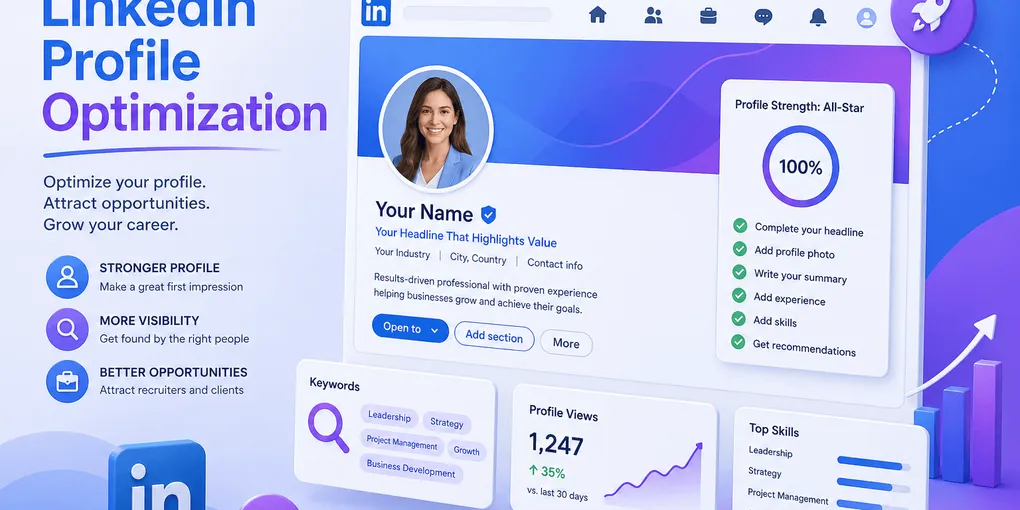
LinkedIn Profile Optimization: Get Found by Recruiters
You have 847 connections, a smiling photo, and a headline that reads “Passionate professional driving impactful results.” A recruiter just searched “Senior Product Manager Salesforce London” — and you were on page 14 of the results. You will never know.
LinkedIn is not a digital business card. It is a search engine where recruiters run Boolean queries and click the first 20 profiles. If your headline, About, and skills don’t match the words they typed, you are invisible regardless of how qualified you are. The good news: LinkedIn’s ranking signals are stable, well-documented, and almost entirely under your control.
This guide walks through the exact fields recruiters search on, how the LinkedIn algorithm ranks them, and the line-by-line optimizations that move you from page 14 to the top of the shortlist for the roles you actually want.
TL;DR — How LinkedIn Recruiter Search Actually Works
- Recruiters use Boolean filters, not vibes. Job title, skills, location, years of experience.
- Your headline and current title are the highest-weighted fields. Generic words there = invisible.
- Skills are a direct match field in LinkedIn Recruiter. Pin the three that match your target role.
- Profile completeness (“All-Star”) is a ranking factor. Empty fields cost you placement.
- Activity multiplies reach but does not rank you in search. Optimize the static profile first.
What Recruiters Actually Search For
Most candidates optimize for the wrong audience. They write headlines like a personal-brand statement when recruiters are typing keywords like a database query. Knowing the search side of LinkedIn changes everything else you do on your profile.
The recruiter’s screen
A recruiter using LinkedIn Recruiter or Talent Search sees a search bar and Boolean filter fields. A typical search looks like this:
Title: "Product Manager" OR "Senior Product Manager"
Skill: Salesforce
Location: Greater London
Years of Experience: 5–10
Current Company: -[their own company]
LinkedIn returns a ranked list. The candidate at position 1 has every field populated, the right title in their headline, the right skill pinned, and a current role that matches the filter. The candidate at position 200 has any of those fields blank or off-keyword.
According to LinkedIn’s own talent insights, 70% of recruiters say a complete profile with role-specific keywords is the single biggest factor in whether they reach out. The remaining factors — photo, custom URL, recommendations — affect click-through after you’ve already ranked.
Action step: Open LinkedIn, search the job title you want next, and look at the top 10 profiles. The pattern in their headlines and About openings tells you what the algorithm currently rewards for that role.
Optimize the Headline (The Highest-Weighted Field)
Your headline is the 220-character line under your name. It appears in every search result, every comment, every connection request. It is also the field LinkedIn weights most heavily in title-based searches.
What to put in it
A high-ranking headline contains:
- Your target role title (the one a recruiter would type)
- One or two specialty keywords (industry, tool, function)
- A proof point or value statement (optional, only if there’s room)
Before / after
❌ Generic: Passionate marketer driving impactful results | Open to opportunities
There is no searchable noun in that line. “Marketer” is too broad. “Passionate” and “impactful” are noise.
✅ Optimized: Senior Product Marketing Manager — B2B SaaS, GTM strategy, +28% pipeline at Acme
Now the headline contains the exact title a recruiter searches for, two specialty keywords (“B2B SaaS,” “GTM strategy”), and a number that survives the recruiter’s six-second skim.
What about “Open to Work”?
LinkedIn’s “Open to Work” frame increases recruiter outreach by 2x according to their own data. Use the discreet recruiter-only setting if you’re employed; the green ring if you’re searching openly. It does not affect ranking — it affects whether recruiters initiate contact after they find you.
Action step: Rewrite your headline using the formula [Target Title] — [Specialty 1], [Specialty 2], [Proof]. Test it by searching that exact title on LinkedIn and seeing whether your profile now appears in the first three pages.
The About Section — Earn the “See More” Click
The About section is your sales letter. The first 220 characters show in the preview; everything after is hidden behind “See more.” Most candidates waste those 220 characters on a generic intro paragraph nobody clicks past.
Structure that converts
- Hook (first 220 chars) — role + one specific outcome + who you help
- Core skills paragraph (200–300 chars) — the keywords you want to rank for
- Proof points (3–5 bullets) — numbers, named projects, named tools
- Call to action (1 line) — “DM me about [specific opportunity type]“
Before / after
❌ Generic opening:
I am a passionate professional with over 10 years of experience in driving results across multiple industries. I love what I do and am always looking to learn and grow…
The recruiter has already clicked away. The first sentence contains zero keywords and zero specifics.
✅ Optimized opening:
Senior Product Marketing Manager helping B2B SaaS scale-ups grow pipeline. I built and ran the GTM motion that took Acme’s enterprise pipeline from $4M to $11M in 18 months — and I’m now looking for the next Series B challenge in vertical SaaS.
220 characters. Title, specialty, named outcome, target opportunity. A recruiter who skimmed three other About sections before yours has now stopped scrolling.
Keyword density without stuffing
Your About should naturally contain 8–12 of your target role’s keywords across the body. Pull these from the same source you’d use for a keyword extraction — the job description, repeated nouns, must-have skills. Same logic applies: match strings, not synonyms, and weave them into real sentences with context.
Pin the Right Skills (The Most Underused Field)
LinkedIn Recruiter has a Skills filter. It is a direct match — type “Salesforce,” get every profile with Salesforce listed. Most candidates list 30 skills and pin the wrong three. The fix takes five minutes and moves you up the search ranking immediately.
Rules for the Skills section
- Pin the three most role-critical skills. These appear at the top of your profile and weight highest in search.
- List 15–25 total skills. Fewer means thin profile; more means the algorithm can’t tell what you do.
- Use LinkedIn’s standardized terms (the dropdown suggestions). Custom strings don’t match the filter.
- Get endorsements on the top five. Endorsements don’t rank you, but they raise click-through from search results.
- Remove low-relevance skills. “Microsoft Word” on a Senior PM profile dilutes your role signal.
What to pin
For a Senior Product Manager targeting B2B SaaS roles:
✅ Pinned (top of profile):
- Product Management
- B2B SaaS
- Roadmap Planning
The remaining 17 skills — SQL, Salesforce, A/B Testing, Mixpanel, OKRs, Stakeholder Management, etc. — sit below the pinned three. A recruiter searching “Roadmap Planning” sees you in the first wave; one searching “SQL” still finds you, just less prominently.
Experience Section — Don’t Just Mirror Your Resume
The Experience section on LinkedIn is searchable text. Every word in your role descriptions is a potential match for a recruiter’s Boolean query. Treat it as a keyword-rich extension of your resume, not a copy-paste of bullet points.
Differences vs. a resume
- More space. LinkedIn has no one-page constraint; expand each role to 800–1,500 characters.
- More keywords. You can list tools, methodologies, project types you couldn’t fit on the resume.
- Media attachments. Add slide decks, case study links, or product screenshots to roles where relevant.
- Plain text, not formatted bullets. Don’t paste from Word — formatting breaks. Use line breaks and emoji-free dashes.
Before / after
❌ Resume copy-paste (too thin):
Product Manager — Acme SaaS · 2022–Present
- Owned product roadmap
- Worked with engineering on releases
✅ LinkedIn-optimized (keyword-dense, narrative):
Senior Product Manager — Acme SaaS (2022–Present)
Lead product strategy for Acme’s B2B SaaS platform serving 4,200 enterprise customers across financial services and healthcare verticals.
Built and shipped 3 major product lines in 18 months, growing ARR from $4M to $11M.
Stack: SQL, Mixpanel, Figma, Jira, Salesforce. Methodologies: continuous discovery, jobs-to-be-done, OKRs.
Cross-functional partnership with Engineering (12 engineers across 3 squads), Design, Sales, and Customer Success.
The optimized version contains 15+ keywords a recruiter might search for — and reads like a real human wrote it. That same writing logic carries over from how you’d build the resume itself; if you haven’t tightened the resume bullets first, how to write a resume from scratch is the better starting point before this rewrite.
Photo, Banner, and Custom URL — The Click-Through Layer
These don’t rank you in search, but they decide whether the recruiter clicks once you appear. A profile with a missing photo gets 9x fewer profile views per LinkedIn’s own data, and a custom URL signals professionalism in 2 seconds.
Photo rules
- Headshot, shoulders up. Face takes 60% of the frame.
- Plain background. Office, plain wall, or soft-focus outdoor — not a vacation pic.
- Professional dress. Match the formality of the industry you’re targeting.
- Smile or neutral confident expression. Mirrored sunglasses and arms crossed are not it.
- Recent (within 2 years) and recognizable. Don’t use a 10-year-old wedding photo.
Banner
Use the banner space. Default LinkedIn blue marks you as low-effort. Options:
- A simple text banner with your value proposition (“B2B SaaS Product Marketing | Pipeline Growth Specialist”)
- A photo from a relevant industry context (you presenting, your product, your office)
- A clean color block with your name and one line of specialty
Custom URL
Change linkedin.com/in/jane-smith-7a4b9c2d to linkedin.com/in/janesmithpm. Takes one minute. Goes on every email signature, resume, and business card from now on.
Activity and Engagement — The Multiplier (Not the Ranker)
A common myth is that posting on LinkedIn boosts your search ranking. It doesn’t — directly. What activity does is increase the chance a recruiter who already found you (or a peer of theirs) sees your profile in their feed before they search.
What actually moves the needle
- One thoughtful comment per day on industry posts. Higher visibility-to-effort ratio than original posts.
- One original post per week in your specialty (lessons, frameworks, hot takes — not personal milestones).
- Skill endorsements traded with peers in your network.
- Recommendations from current and former colleagues. 2–3 visible recommendations correlate with higher recruiter response rates.
What to skip
- Daily motivational posts with no substance (“Mindset is everything!”)
- Engagement-bait questions (“Comment 1 if you’re hustling”)
- Reposting other people’s content with no commentary
Before-and-After — A Full Profile Optimization
Here is what the headline + About + skills look like for the same candidate before and after optimization.
Before
Headline: Marketing professional | Open to new opportunities
About: I am a passionate marketer with experience in various industries.
       I love working with people and driving results. Always learning,
       always growing.
Skills (top 3): Microsoft Office, Communication, Leadership
A recruiter searching “Product Marketing Manager B2B SaaS” never finds this profile. Even if they did, the About would tell them nothing.
After
Headline: Senior Product Marketing Manager — B2B SaaS, GTM strategy,
          +28% pipeline at Acme
About: Senior Product Marketing Manager helping B2B SaaS scale-ups grow
       pipeline. I built and ran the GTM motion that took Acme's enterprise
       pipeline from $4M to $11M in 18 months. Now looking for the next
       Series B challenge in vertical SaaS.

       Core skills: GTM strategy, sales enablement, product launches,
       competitive intelligence, B2B messaging, ABM, marketing analytics.

       Recent wins:
       • Took Acme's enterprise pipeline from $4M to $11M in 18 months
       • Launched 3 product lines on time and on budget
       • Built a sales enablement library used by 40+ AEs

       DM me about Series B vertical SaaS PMM roles.
Skills (top 3 pinned): Product Marketing, B2B SaaS, Go-to-Market Strategy
Same candidate. Same career. The “after” version ranks for at least four high-value recruiter searches the “before” version was invisible to.
Profile Completeness — The Hidden Multiplier
LinkedIn assigns every profile a strength score (Beginner → Intermediate → Advanced → Expert → All-Star). Hitting “All-Star” requires:
- Profile photo
- Industry and location
- Current role with description
- Two or more past roles
- Education
- 5+ skills
- 50+ connections
All-Star profiles appear up to 27 times more often in search results, per LinkedIn’s published guidance. If even one of those fields is missing, you’re scoring against yourself in every recruiter query.
Action step: Open your profile, scroll to “Improve profile” in the right sidebar, and complete every prompt LinkedIn surfaces. Most candidates fix three to five missing fields in 15 minutes and immediately rank higher.
LinkedIn Optimization Quick-Check
- Headline contains target role title + 1–2 specialty keywords + 1 proof point
- First 220 chars of About contain role, outcome, and target opportunity
- About body has 8–12 keywords woven into real sentences
- Top 3 skills pinned and match target role
- 15–25 total skills, all role-relevant
- Profile photo: shoulders up, plain background, recent
- Custom URL set (firstname-lastname or short variant)
- Every relevant role from the past 10–15 years filled out
- Each role description has 800+ characters with tools and methodologies named
- Banner customized (not default LinkedIn blue)
- All-Star profile strength
- Open to Work set (recruiter-only or public, depending on situation)
FAQ
Q: How do recruiters search for candidates on LinkedIn? A: They use LinkedIn Recruiter’s Boolean filters: job title, skill, location, years of experience, current/past employer. Profiles matching those filters with All-Star completeness rank highest in the results.
Q: What is the most important part of a LinkedIn profile for SEO? A: The headline and current job-title line carry the most weight in title-based searches. About, skills, and experience descriptions add secondary signal. Photo and engagement raise click-through but don’t directly rank.
Q: How long should a LinkedIn About section be? A: 1,200 to 2,000 characters. The first 220 (desktop) or 270 (mobile) characters show before “See more” — front-load role, outcome, and proof there.
Q: Should I list every job on my LinkedIn profile? A: List every relevant role from the past 10–15 years. Older or off-topic roles can be condensed to a single “Earlier experience” entry. Empty experience sections hurt completeness; role-stuffing dilutes keywords.
Q: Do LinkedIn skills matter for recruiter search? A: Yes. Skills are a direct match field in LinkedIn Recruiter and feed the suggested-candidate algorithm. Pin the three most role-critical skills and remove low-relevance ones.
Q: How often should I update my LinkedIn profile? A: Major rewrite every 12–18 months or when changing roles. Smaller updates (new skill, new project, new recommendation) every 1–2 months keep activity fresh without churn.
Final Thoughts
A high-ranking LinkedIn profile is not about personal branding theatre. It’s about matching the exact words a recruiter types into a search bar, then giving them enough proof in the first six seconds to click. Headline, About opening, pinned skills — fix those three and you’ve done 80% of the work.
If your resume content is solid but you’re not seeing inbound recruiter messages, the gap is almost always on LinkedIn, not on the resume itself. Build the resume in CV-Mate’s free resume builder so the content is tight, then mirror the strongest sections — summary, top three roles, skills — onto your LinkedIn profile using the rules above.
Next step: once your profile is ranking, sharpen the supporting content — a strong resume summary translates almost word-for-word into a high-converting LinkedIn About opening, and the same ATS-aware keyword logic applies to both surfaces.
Ready to build your resume?
You've got the knowledge. Now put it into action—create a professional resume in under 10 minutes with our builder.
No credit card required · Export as PDF · ATS-friendly templates